SEO, or search engine optimisation, is always a tricky subject. Google regularly updates its algorithm, which means SEO guidelines are constantly changing. That doesn’t mean all your SEO efforts are wasted, though. Some optimisations are known to pay off in the long term. These include regularly adding and updating content and using the right keywords to help your pages appear higher in Google search results.
But did you know that meta descriptions are important for SEO too?
A good meta description helps visitors understand what they’ll find on a page. That helps them decide whether to click through from Google. However, Google doesn’t always show the text you provide, and a meta description by itself won’t improve your position in search results.
In this article, we explain what meta descriptions are and how to write ones that fit your page and match your visitors’ search intent, helping to increase traffic to your website.
What is a meta description?
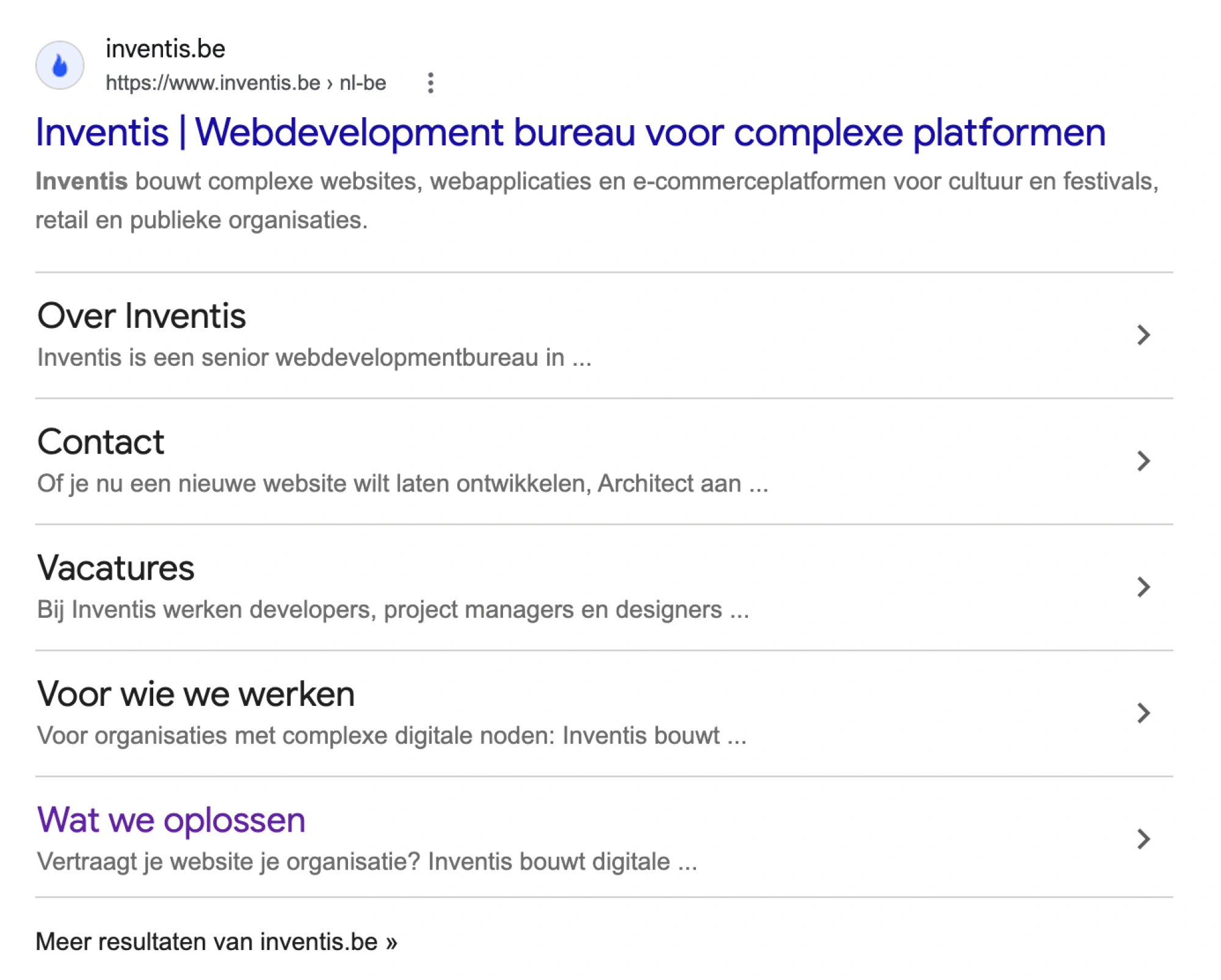
A meta description is a short summary of a webpage. Google may use it as the description in a search result. This description is called a snippet.
Google usually generates snippets automatically based on the page content. It may use your meta description if Google considers it a better summary. The snippet shown can also vary depending on the search query. You can provide Google with a good description, but you can’t control which text will always appear.
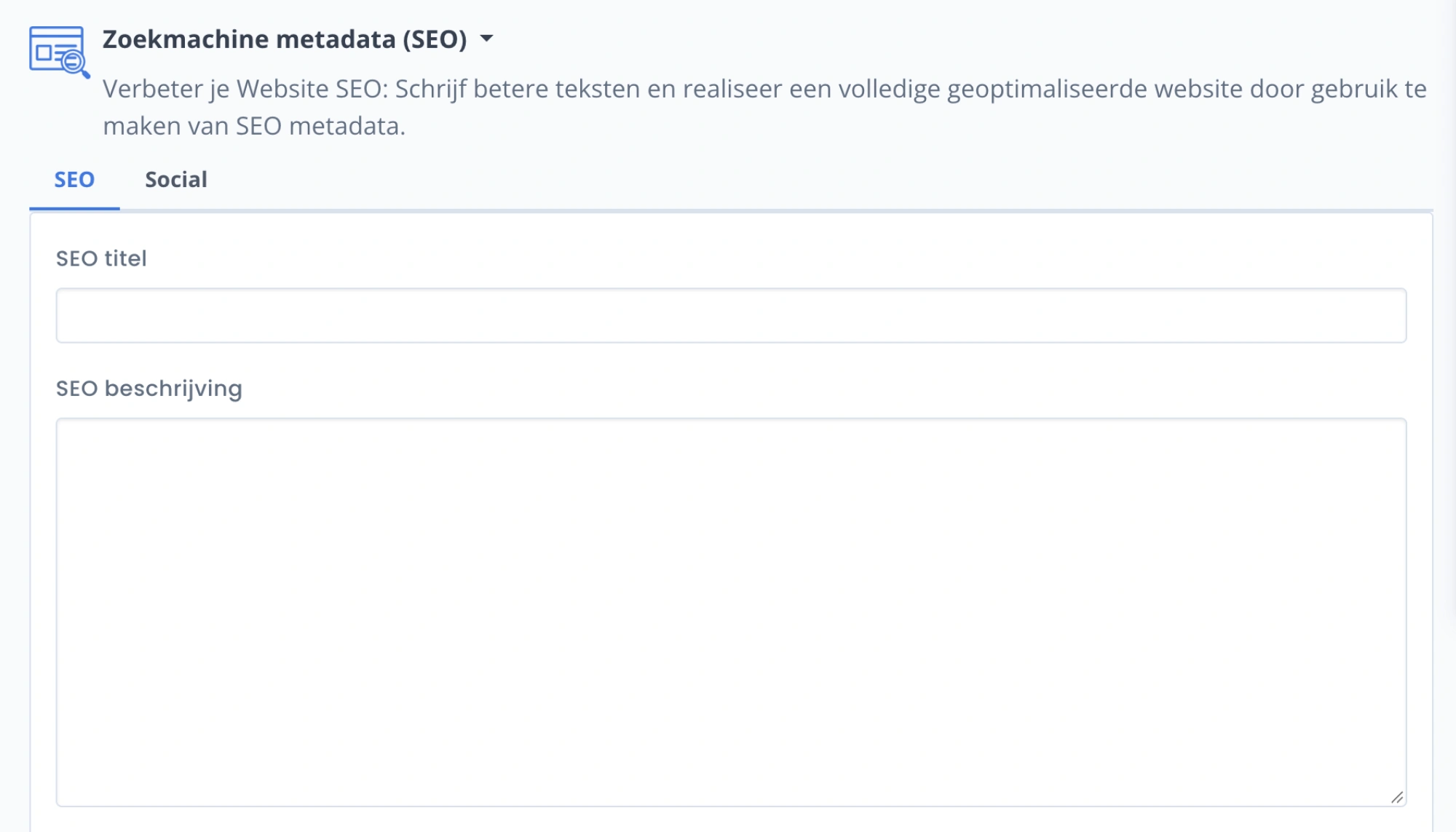
The meta description isn’t visible on the webpage itself. Instead, it’s added to the page’s HTML, usually through your content management system, such as Architect CMS, or through an SEO plugin. For example, our meta description appears in the HTML as follows:

In Google, it looks like this:
On many websites, you can enter the meta description easily through an SEO plugin:
What does a meta description do for SEO?
A meta description is mainly intended for people who see your page in Google search results. A clear description helps them decide whether the page matches what they’re looking for and whether to click through. An interesting title, a clear URL and an appealing description can show users that your webpage may answer their question.
A meta description isn’t a direct ranking factor. An appealing description may help attract more relevant visits and increase your click-through rate. But a higher click-through rate won’t improve your position in search results. To rank higher, your page needs to offer useful, reliable content that matches the search query.
Don’t confuse meta descriptions with meta keywords. In the past, some marketers used the keyword tag to stuff a website’s HTML with every possible keyword in the hope of improving its Google rankings. Google eventually stopped using the keyword tag as a ranking signal.
In short, optimising a webpage’s meta description may increase its click-through rate.
So how can you write a meta description that persuades people to click? Here are four tips.
1. Write for the content of your page, not a character limit
Meta descriptions are short snippets of text, so only a limited number of characters will actually appear in Google. Many people get caught up in sticking rigidly to a character limit. Don’t lose sight of the bigger picture.
Google used to apply a fixed limit of 160 characters to meta descriptions. Today, there’s no fixed maximum. Google may truncate the snippet depending on factors such as the available screen space. A description that appears in full on desktop may be shortened on a smartphone.
A commonly recommended length is between 120 and 160 characters. On desktop, the meta description is usually visible up to around 155 to 160 characters. On mobile, it’s often displayed more briefly—around 115 to 120 characters.
But focusing only on length can distract you from the point of SEO: improving your content to give users the best possible experience. Put the most important information first. Write a natural summary that remains clear even if the last part is cut off. Don’t treat the character count as a guarantee of what Google will display.
2. Make it clear what visitors will find
This may sound obvious, but many meta descriptions miss the mark here. A good description explains exactly what the page is about and what the reader will get from it.
Avoid general promises such as “discover our range” when you can be more specific:
- A services page: name the service, target audience or region, if relevant.
- A product page: mention the product and distinguishing details, such as material, size or current price.
- An article: state the question it answers or the practical information it provides.
A call to action can work, but use one only when it makes sense for the page. The description should accurately represent your page, not promise something the content doesn’t deliver.
Calls to action aren’t the only thing to consider. Your entire meta description should use active language where possible. Active sentences are easier to read than passive ones, sound more direct and are more likely to encourage people to click.
For example, compare “We have a wide range of coats” with “A wide range of coats can be found with us.” The second sentence doesn’t exactly encourage you to click through, does it?
3. Use relevant keywords
You put a lot of thought into the keywords you include in your webpage content. So why not use them in your meta description too?
Keywords give Google a clear signal about what your webpage is about. But don’t force a keyword in or repeat it in several variations. If an important term fits naturally into the summary, it can help visitors recognise that your page is relevant.
Google may highlight words from the search query in a snippet, but that’s no reason to stuff your description with keywords. A readable, accurate summary is more useful than a list of terms.
4. Make meta descriptions specific and unique where possible
It can be tempting to reuse a good meta description, especially after putting a lot of effort into writing it. It’s better to avoid doing that. Give important pages their own descriptions, tailored to their content. The same text on dozens of product pages tells visitors very little about how those pages differ.
If you have a website with many pages, such as an online shop, a carefully designed template can help. Add details that vary from page to page, such as the product name, type or a relevant feature. Check that the automatically generated text still reads naturally and accurately reflects the content.
If you don’t have the time or ideas to write a unique meta description for every webpage, it may sometimes be better to leave the meta description blank and let Google generate one.
Conclusion
Meta descriptions are often overlooked, but they’re more important than many people think. A good meta description doesn’t guarantee a higher ranking, and Google won’t always display it exactly as written. Still, it’s an opportunity to describe a search result in a way that helps the right visitor understand what the page offers. You can think of a meta description as a kind of advert that encourages people to click your link.
Don’t stick rigidly to the recommended length. Instead, make sure your description is interesting and unique, and includes the most important keywords. SEO takes time, but following these tips can help you see the right results in the long run.
Would you like help optimising your website and meta descriptions for Google? Get in touch. We’d be happy to discuss the options with you, with no obligation.